TradeManagerPanel EA
Advanced Trade Panel + Auto Trade Management for MT5
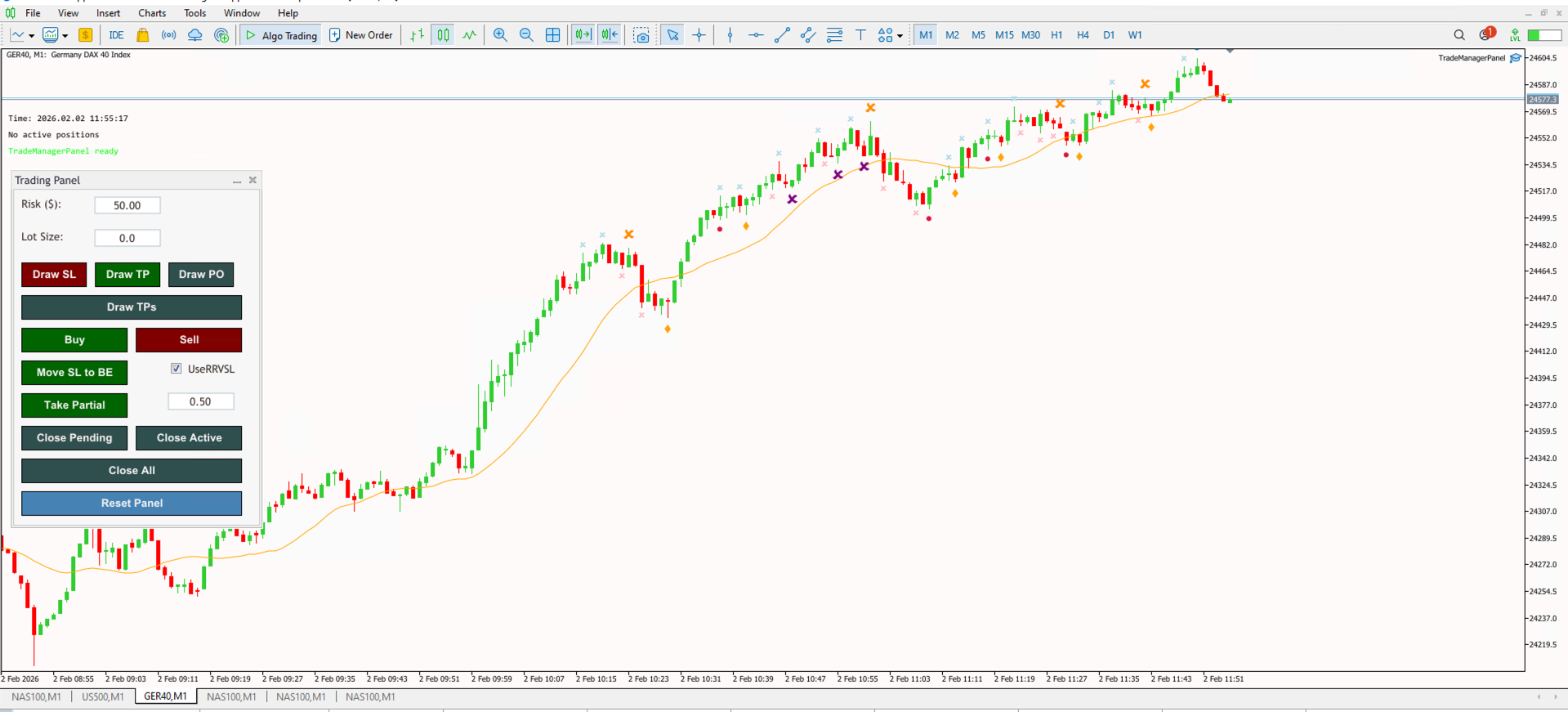
The TradeManagerPanel EA combines the manual efficiency of the TradingPanel with advanced, automated trade management logic. It effectively "babysits" your trades for you—automatically moving stops to breakeven, taking partial profits, and even reducing risk dynamically as price moves in your favor.
Key Features
- Automated Break-Even: Automatically moves your Stop Loss to the entry price once your trade reaches a specific Risk:Reward (RR) ratio (e.g., 1:1).
- Reduced Risk Mode: Active protection feature that uses a "Virtual Stop Loss" to drastically reduce exposure if the market hesitates after reaching a partial target (e.g., 0.5R).
- Smart Partial Profits: Automatically closes a percentage of your position (Partial Close) when specific profit targets are met to bank money while leaving runners.
- Daily Protection: Built-in equity protector that monitors Max Daily Loss and Daily Profit Targets to keep your psychology and account safe.
- Advanced Dashboard: Displays real-time trade status, "R" multiples (0.5R, 1R, 2R), and live profit/loss info directly on the chart.
- Structure Awareness: Tracks basic market structure (Swing Highs/Lows and Fair Value Gaps) to inform its management decisions.
Installation Guide
Download the EA file and place it in your MetaTrader 5 'Experts' folder. Restart your terminal, and you will find the TradeManagerPanel EA in the Navigator window. Requires 'Algo Trading' to be enabled to perform the automatic partial close and stop-loss modification functions.