KeyLevelsFVGsManagerPanel EA
Advanced Trade Panel + Auto Trade Management + Key Levels & FVGs for MT5
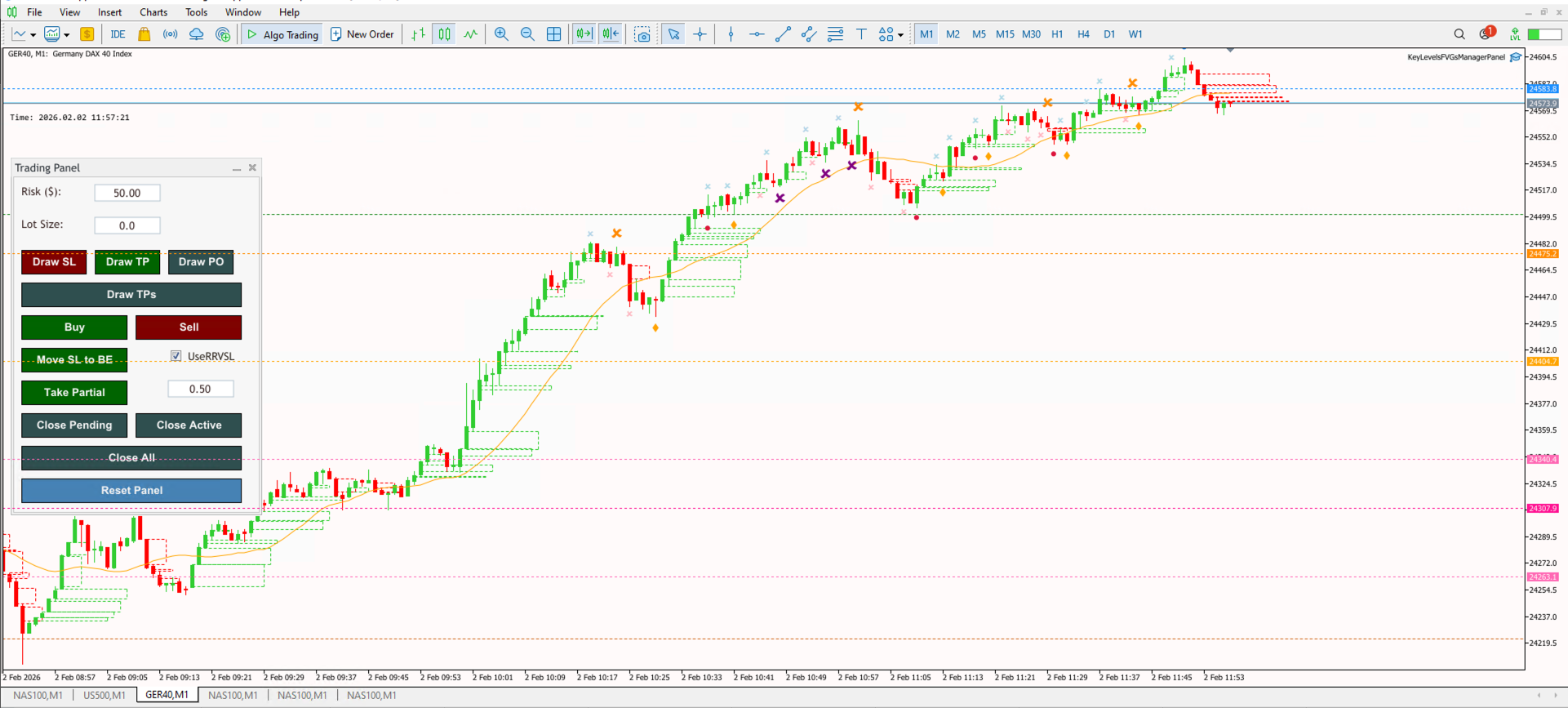
The KeyLevelsFVGsManagerPanel is the ultimate all-in-one institutional trading suite. It integrates professional trade execution, automated position management, and deep technical analysis into a single powerhouse EA. It visualizes institutional reference points like Session Highs/Lows, Key Levels, and Higher Timeframe (HTF) structure automatically.
Key Features
- Institutional Key Levels: Automatically plots critical liquidity levels including Previous Day/Week Highs & Lows, and Session Ranges (Asian, London, NY).
- Multi-Timeframe Structure: Analyzes and displays Market Structure Shifts (MSS) and Swing Points for both the current chart and Higher Timeframes simultaneously.
- FVG Matrix: Detects and draws Fair Value Gaps (Imbalances) for both current and higher timeframes to help identifying draw-on-liquidity.
- Liquidity Run Alerts: Tracks whether key liquidity pools (e.g., "Asian High" or "Previous Day Low") have been raided ("Taken") or are still intact.
- Complete Trade Suite: Includes ALL features of the TradeManagerPanel—Manual Execution, Auto-Breakeven, Reduced Risk Logic, Partials, and Daily Loss Limits.
- Session Timing: Visualizes specific kill-zones and session openings directly on the chart to align your entries with time-based volatility.
Installation Guide
Download the EA file and place it in your MetaTrader 5 'Experts' folder. Restart your terminal. When attaching to a chart, ensure you allow DLL imports if prompted (standard for complex panels) and enable 'Algo Trading'. Custom session times can be configured in the EA inputs to match your broker's server time.